Qualified Overtime Calculation Export
Human Resources > Reports > Management Reports > Qualified Overtime Calculation Export
The Qualified Overtime Calculation Export has been added to the Management Reports menu:
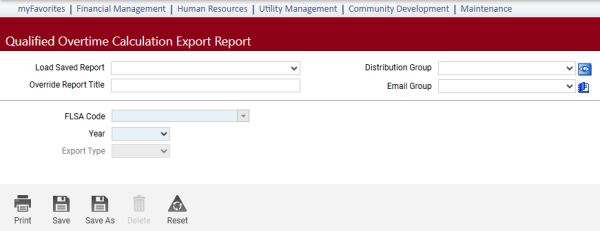
This report lets you recalculate FLSA according to the Department of Labor (DOL) standards for what constitutes qualified overtime.
To accommodate this calculation, two checkboxes, Qualified FLSA Eligible and Qualified FLSA Amount, have been added to the Hours Code page:
Maintenance > Human Resources > Earnings Maintenance > Hours Codes > Hours Code
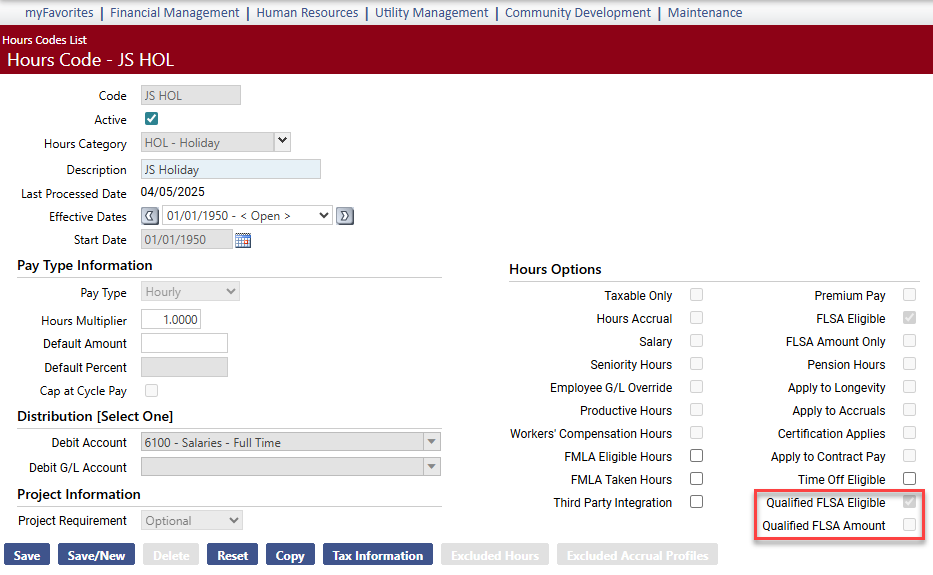
If an hours code does not qualify as overtime according to DOL standards, clear the Qualified FLSA Eligible checkbox, and the calculation will not include the hours as qualified overtime, but with FLSA Eligible marked, it will continue to include the hours in regular pay.
Make the required selections on the Qualified Overtime Calculation Export page:
| Field | Description |
|---|---|
| FLSA Code | Calculation includes only employees with the selected FLSA code attached to their job records. Employees without wages are excluded. |
| Year | Qualified overtime for the year selected. |
| Export Type | Summary or Detail. Summary shows the total number of pays and total calculated FLSA amount per employee. Detail breaks down the FLSA rates and amounts per pay, per employee. |
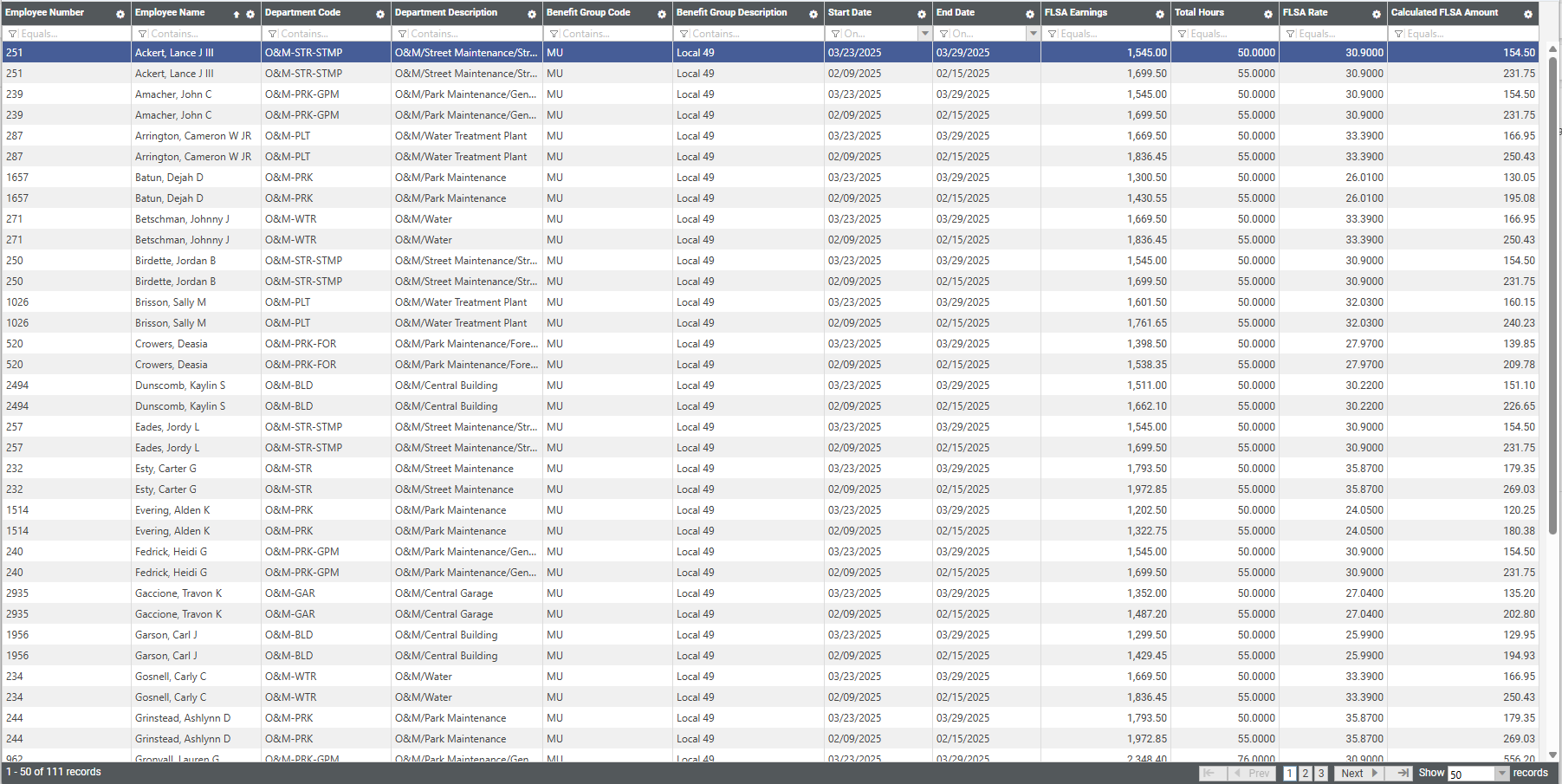
After making your selections, click Print to generate and display an exportable grid of the data, with the far-right column containing the calculated FLSA amounts:
For more on reporting qualified overtime, click here.