New York Quarterly Tax and Wage Report
NY > Quarterly Wage Report
Use this page to generate a report and transmittal file of quarterly tax and wage information to be filed with the state of New York each quarter.
| Field | Description |
|---|---|
| Load Saved Report | Saves this version of the report as a template for later use. When you click Save, a pop-up will ask you to name the report. Type the name, and click OK. The next time you want to run this report, select its name from the Load Saved Report drop-down, and the fields and list boxes will be populated automatically. If necessary, you may edit entries before running the report. You may save as many templates as you would like. |
| Override Report Title | Overrides the default report title, (New York Quarterly Tax and Wage Report). |
| Distribution Group | A group of people selected to receive the report in myReports. Click in the field to select from a list of existing groups, or click the blue-eye prompt  to create a new distribution group. The report will be sent to myReports for each person in the group. to create a new distribution group. The report will be sent to myReports for each person in the group. |
| Email Group | A group of people selected to receive the report by e-mail. Click in the field to select from a list of existing groups. |
| Quarter | Required. Identifies the fiscal quarter being reported. The available selections are 1 (Jan.-Mar.), 2 (Apr.-June), 3 (July-Sept.) and 4 (Oct.-Dec.). |
| Year | Required. Identifies the year of the fiscal quarter being reported. Type all four digits of the year. The current year is the default. |
| Original/Amended | Determines whether the report contains original or amended information. Original is the default. |
| Check Digit | A calculated number. The state has a formula that uses the first seven digits of the unique bar code of each report to arrive at this number. |
| Include Zero Gross | Includes in the summary report employees with a year-to-date wage greater than zero in the prior quarter. |
| Include Adjustments | Includes adjustments to the federal tax gross. |
| Contact Name | Required on the transmittal file. |
| Contact Phone | |
| Contact Email Address | |
| File Format |
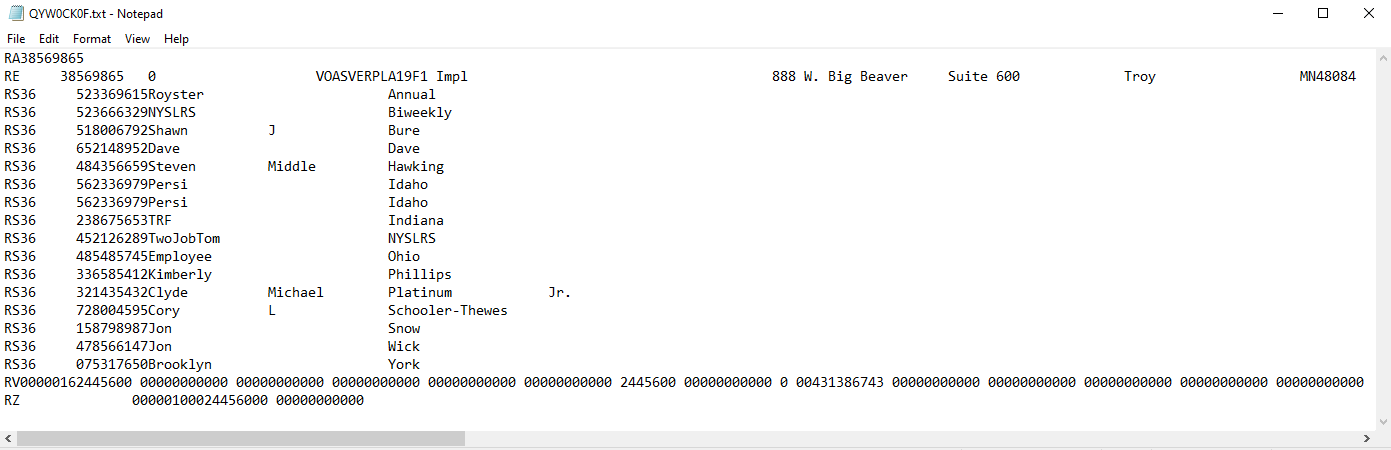
Standard File, Web File-Text or Web File-CSV. The Standard File layout is the entire transmittal file, including RA, RE, RV and RZ records, while the Web File-Text layout excludes these records. The Web File-CSV layout is the web upload format containing the employee detail section only; it does not include totals, employer information or other information. Select a format, or leave the field blank to create all formats. |
Select one or more benefit groups from the Available Benefit Group(s) list box. Only employees associated with these benefit groups will be included in the report.
Use the Taxes list boxes to run the report for selected tax codes instead of all codes mapped in New York System Settings Maintenance.
Use the Deductions list boxes to report taxable 414(h) retirement contributions and IRC 125 amounts only from a New York City flexible benefits program
After making your selections, click the Print button to submit the report and transmittal file(s) to myReports.
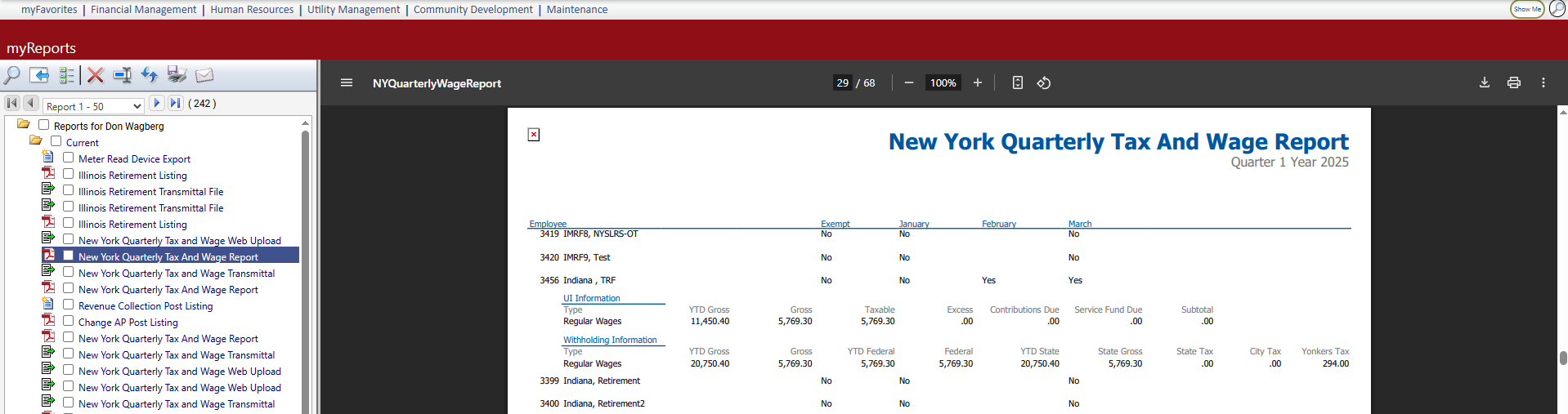
The report output provides the quarter and year-to-date gross wages, federal gross wages and state and local taxes for each employee.
Note: To navigate quickly from the New York Quarterly Tax and Wage Report to New York System Settings Maintenance, click the System Settings button.
 Sample Report